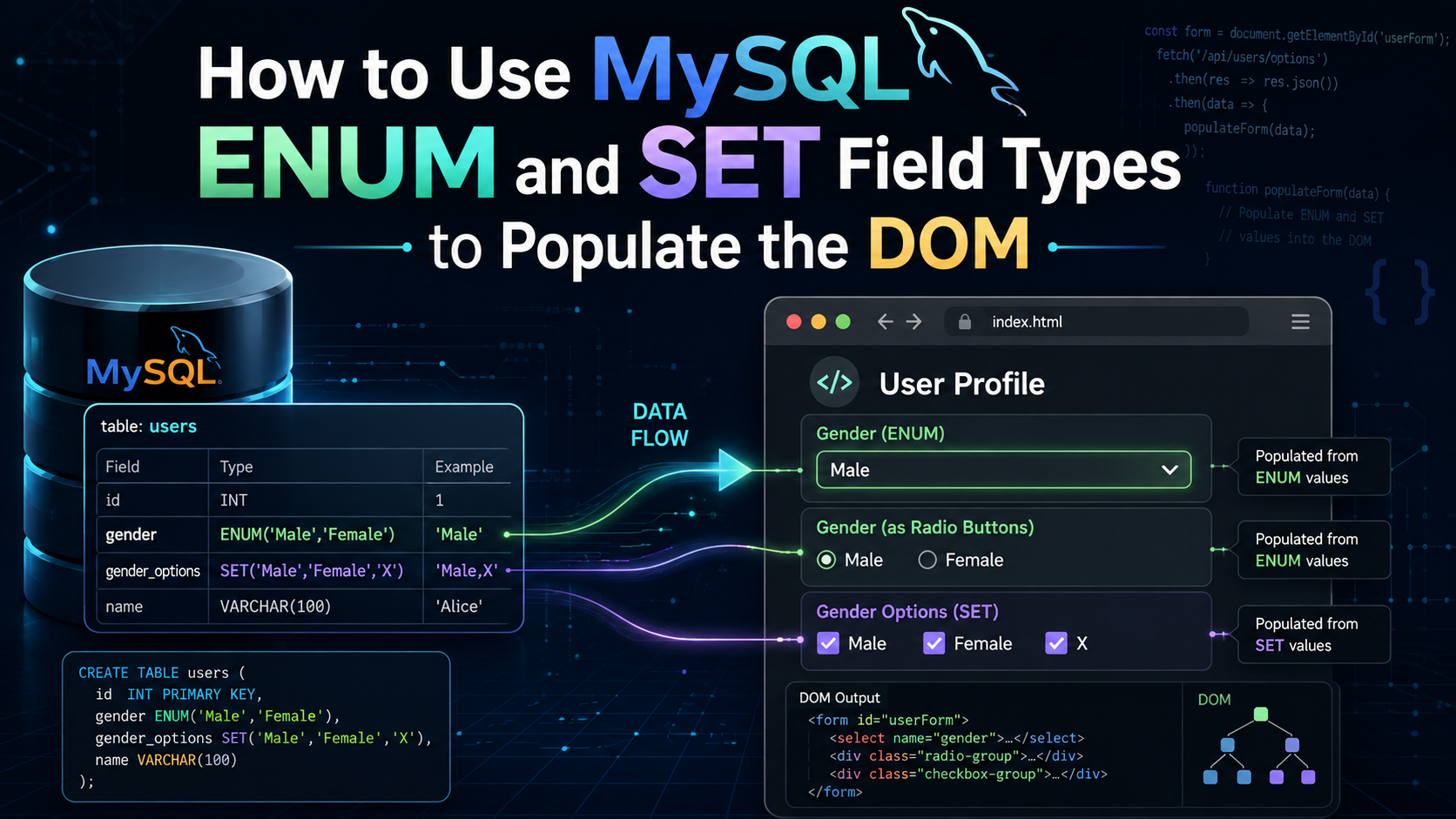
MySQL's ENUM and SET column types can be useful when a database field has a predefined list of allowed values. Instead of defining those same values again in your PHP or HTML, you can read them directly from the database schema and use them to generate form controls.
This keeps the database as the source of truth. If you later add or remove an allowed value from the column, the form can reflect that change without requiring you to manually update the HTML.
In this tutorial, I'll show how to use both ENUM and SET fields to populate <select>, radio button, and checkbox elements with PHP and PDO.
Using a MySQL ENUM Field
An ENUM field allows one value to be selected from a predefined list. This makes it a natural fit for a standard <select> element or a group of radio buttons.
1. Create the ENUM Column
For this example, the users table contains a sex column with two possible values:
CREATE TABLE IF NOT EXISTS `users` (
    `sex` ENUM('Male', 'Female') DEFAULT 'Male'
) ENGINE=InnoDB;
The default value is Male, so we can also use that information when generating the form.
2. Read the ENUM Values with PHP
MySQL's SHOW COLUMNS statement returns information about the column, including its type and default value.
<?php

// PDO database connection should already be available as $conn.

$stmt = $conn->query(
    "SHOW COLUMNS FROM `users` LIKE 'sex'"
);

$column = $stmt->fetch(PDO::FETCH_ASSOC);

$columnType = $column['Type'];
$columnDefault = $column['Default'];

$output = str_replace("enum('", '', $columnType);
$output = str_replace("')", '', $output);

$results = explode("','", $output);
For the column used above, $results will contain:
[
    'Male',
    'Female'
]
We can now use those values to populate the DOM.
3. Populate a SELECT Element
Start with a normal HTML <select> element:
<select id="gender" name="gender">
</select>
Then generate its <option> elements using the values retrieved from MySQL:
<select id="gender" name="gender">
<?php foreach ($results as $result): ?>
    <option
        value="<?= htmlspecialchars($result, ENT_QUOTES, 'UTF-8') ?>"
        <?= $result === $columnDefault ? 'selected' : '' ?>
    >
        <?= htmlspecialchars($result, ENT_QUOTES, 'UTF-8') ?>
    </option>
<?php endforeach; ?>
</select>
With the example table above, the generated HTML will be equivalent to:
<select id="gender" name="gender">
    <option value="Male" selected>Male</option>
    <option value="Female">Female</option>
</select>
Because Male is the default value in MySQL, it is automatically selected in the form.
Using Radio Buttons Instead
Since an ENUM field stores one value, radio buttons are another good fit.
<?php foreach ($results as $index => $result): ?>
    <?php
    $id = 'gender-' . $index;
    ?>

    <input
        type="radio"
        id="<?= $id ?>"
        name="gender"
        value="<?= htmlspecialchars($result, ENT_QUOTES, 'UTF-8') ?>"
        <?= $result === $columnDefault ? 'checked' : '' ?>
    >

    <label for="<?= $id ?>">
        <?= htmlspecialchars($result, ENT_QUOTES, 'UTF-8') ?>
    </label>
<?php endforeach; ?>
That will generate HTML similar to:
<input type="radio" id="gender-0" name="gender" value="Male" checked>
<label for="gender-0">Male</label>

<input type="radio" id="gender-1" name="gender" value="Female">
<label for="gender-1">Female</label>
Again, the MySQL default determines which radio button is initially checked.
Adding or Removing ENUM Options
Because the available form options come directly from the database column, changing the ENUM definition changes the options PHP receives.
For example, to add another value:
ALTER TABLE `users`
MODIFY COLUMN `sex`
ENUM('Male', 'Female', 'X')
DEFAULT 'X';
To reduce the field to a single available value:
ALTER TABLE `users`
MODIFY COLUMN `sex`
ENUM('Female')
DEFAULT 'Female';
After changing the column definition, PHP will retrieve the updated list the next time the page loads.
Using a MySQL SET Field
A MySQL SET field works similarly to ENUM, with one major difference:
ENUMstores one value from the available options.SETcan store multiple values from the available options.
Because multiple values can be selected, SET works well with a multiple-selection <select> element or a group of checkboxes.
1. Create the SET Column
For example:
CREATE TABLE IF NOT EXISTS `users` (
    `sex` SET('Male', 'Female') DEFAULT 'Male,Female'
) ENGINE=InnoDB;
Unlike the ENUM example, the default contains more than one selected value.
2. Read the SET Values with PHP
The process is almost identical to reading an ENUM column:
<?php

// PDO database connection should already be available as $conn.

$stmt = $conn->query(
    "SHOW COLUMNS FROM `users` LIKE 'sex'"
);

$column = $stmt->fetch(PDO::FETCH_ASSOC);

$columnType = $column['Type'];
$columnDefault = $column['Default'];

$output = str_replace("set('", '', $columnType);
$output = str_replace("')", '', $output);

$results = explode("','", $output);

$defaults = $columnDefault !== null
    ? explode(',', $columnDefault)
    : [];
The $results array contains every value allowed by the SET field:
[
    'Male',
    'Female'
]
The $defaults array contains the values that should initially be selected:
[
    'Male',
    'Female'
]
Because a SET can contain multiple values, we use an array and in_array() when determining whether an option should be selected.
3. Populate a Multiple SELECT Element
A SET column maps naturally to a <select multiple> element:
<select id="gender" name="gender[]" multiple>
<?php foreach ($results as $result): ?>
    <option
        value="<?= htmlspecialchars($result, ENT_QUOTES, 'UTF-8') ?>"
        <?= in_array($result, $defaults, true) ? 'selected' : '' ?>
    >
        <?= htmlspecialchars($result, ENT_QUOTES, 'UTF-8') ?>
    </option>
<?php endforeach; ?>
</select>
The [] after gender is important because the form can submit multiple values.
The generated HTML would look similar to:
<select id="gender" name="gender[]" multiple>
    <option value="Male" selected>Male</option>
    <option value="Female" selected>Female</option>
</select>
Using Checkboxes Instead
Checkboxes are often an even more natural representation of a MySQL SET field.
<?php foreach ($results as $index => $result): ?>
    <?php
    $id = 'gender-' . $index;
    ?>

    <input
        type="checkbox"
        id="<?= $id ?>"
        name="gender[]"
        value="<?= htmlspecialchars($result, ENT_QUOTES, 'UTF-8') ?>"
        <?= in_array($result, $defaults, true) ? 'checked' : '' ?>
    >

    <label for="<?= $id ?>">
        <?= htmlspecialchars($result, ENT_QUOTES, 'UTF-8') ?>
    </label>
<?php endforeach; ?>
With both values defined as the default, the generated HTML will be similar to:
<input type="checkbox" id="gender-0" name="gender[]" value="Male" checked>
<label for="gender-0">Male</label>

<input type="checkbox" id="gender-1" name="gender[]" value="Female" checked>
<label for="gender-1">Female</label>
Adding or Removing SET Options
Just like ENUM, the list of available SET values can be changed by modifying the column.
To add another value:
ALTER TABLE `users`
MODIFY COLUMN `sex`
SET('Male', 'Female', 'X')
DEFAULT 'Male,X';
To remove values:
ALTER TABLE `users`
MODIFY COLUMN `sex`
SET('Female')
DEFAULT 'Female';
Since the PHP reads the allowed values directly from the column definition, the generated form options will automatically reflect the updated schema.
ENUM vs. SET
The basic idea is the same for both field types: retrieve the column definition from MySQL, extract its allowed values, and use those values when generating the HTML.
The difference is how those values are used.
An ENUM field allows only one value, so it works well with:
<select>
or:
<input type="radio">
A SET field allows multiple values, so it works well with:
<select multiple>
or:
<input type="checkbox">
Using the database column as the source for your available options also means you don't have to maintain the same list in both SQL and PHP.
Change the available values in MySQL, and the form can retrieve the new values automatically the next time the page is loaded.